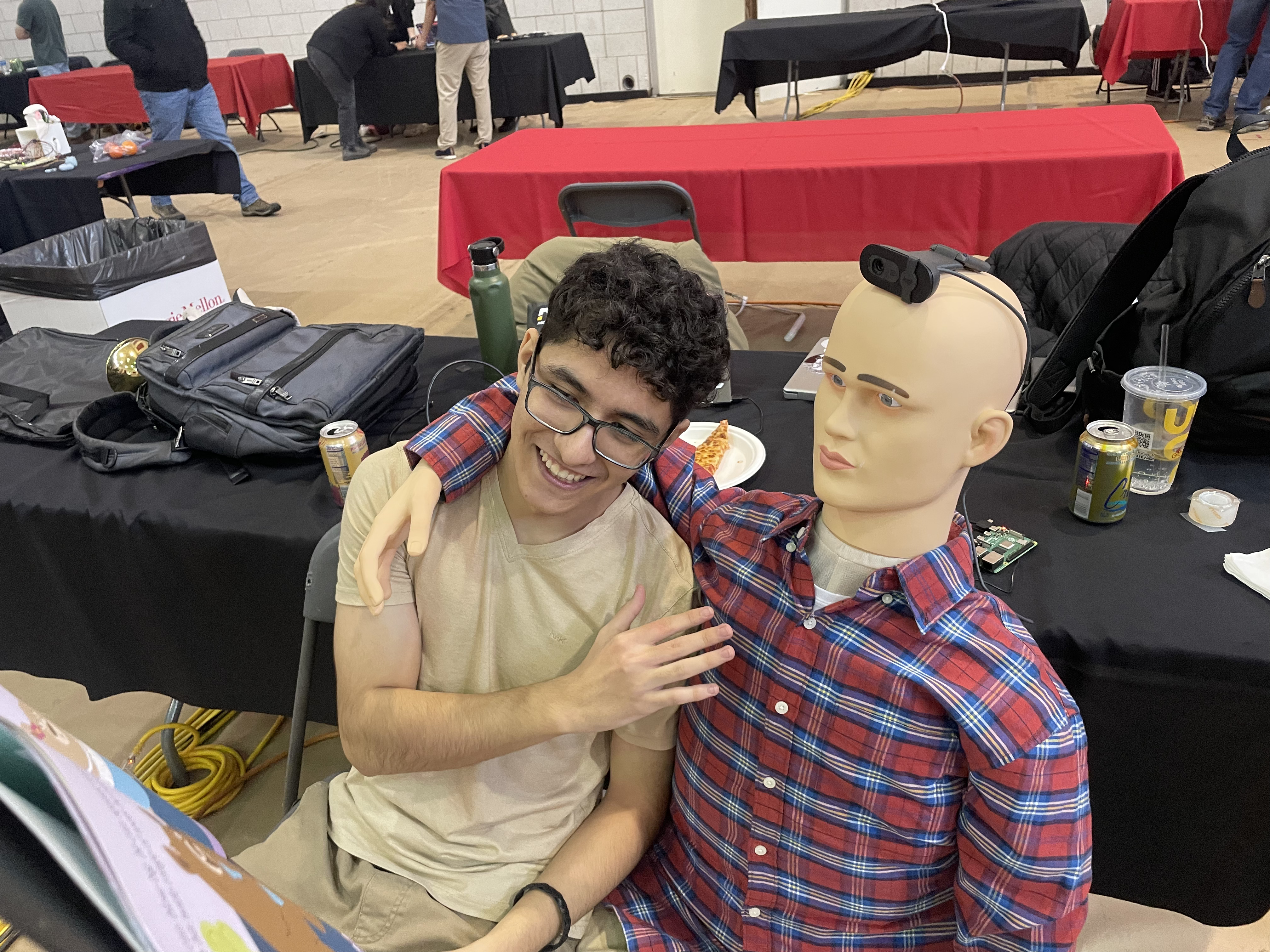
Webcam + voice triggers mannequin robot, OCR pipeline, and text-to-speech
Designed a mannequin "robot" that used a webcam and voice-command triggers to capture images of books, convert them to text via an API-based OCR pipeline, and generate human-like speech from the extracted text.
Case Study
Problem
Children with reading difficulties or visual impairments need a low-cost, engaging companion that reads physical books aloud when asked, without requiring a screen or complex interaction.
Architecture
- Raspberry Pi with USB webcam for image capture triggered by voice command
- Voice-command listener using a lightweight keyword-spotting library
- OCR API pipeline for extracting text from captured book-page images
- Text-to-speech engine converting extracted text to natural speech audio
- Mannequin form factor for friendly physical presence
Challenges
- Achieving acceptable OCR accuracy on curved or partially shadowed book pages
- Reducing voice-command latency to feel responsive during child interaction
- Fitting all processing on a Raspberry Pi 4 without offloading to a cloud server
Tradeoffs
- Chose a cloud OCR API over on-device OCR to maximise accuracy on the Pi
- Keyword spotting instead of full ASR reduces power draw and false triggers
- Closed-source given the CMU Build18 project nature
Outcome
Robot successfully captured book pages, extracted text via OCR, and read them aloud with natural-sounding TTS in live demos at CMU Build18.
What I Learned
- Raspberry Pi GPIO and camera module integration in Python
- Practical limits and tuning of cloud OCR APIs for physical document scans
- Audio output pipeline on embedded Linux (ALSA/Pulse audio routing)
- Designing user experiences for non-technical, young end-users
Additional resources
Additional demo clips are attached on LinkedIn (Prepped-up Demo / Prepped-up Demo 2).